Tools Automated Threat Intelligent System integrated with McAfee Advanced Threat Defense and Malware Information Sharing Platform 02/09/2019 Anastasis Vasileiadis Automated Threat Intelligent System An improvised automated threat intelligent system with advanced vulnerability scanners and Opensource Intelligence Information gathering python scripts when integrated with McAfee Advanced Threat Defense and Malware Information Sharing Platform can defend against new and futuristic cyber attacks. ATD-MISP with OpenDXL This integration is focusing on the automated threat intelligence collection with McAfee ATD, OpenDXL, and MISP. McAfee Advanced Threat Defense (ATD) will produce local threat intelligence that will be pushed via DXL. An OpenDXL wrapper will subscribe and parse indicators ATD produced and will import indicators into a threat intelligence management platform (MISP). Component Description McAfee Advanced Threat Defense (ATD) ...
[BlackHat USA tool] Internet Of Things ExploitationFrameworkExpliot
Internet Of Things Exploitation
Framework
Expliot is a framework for security testing IoT and IoT infrastructure. It provides a set of plugins (test cases) and can be extended easily to create new plugins. The name expliot is a pun on the exploit and explains the purpose of the framework i.e. IoT exploitation. It is developed in python3.
Framework
It can be used as a standalone tool for IoT security testing and more interestingly, it provides building blocks for writing new plugins/exploits and other IoT security assessment test cases with ease. EXPLIoT supports most IoT communication protocols, hardware interfacing functionality and test cases that can be used from within the framework to quickly map and exploit an IoT product or IoT Infrastructure.
It will help the security community in writing quick IoT test cases and exploits. The objectives of the framework are:
- Easy to use
- Easy to extend
- Support for most IoT protocols
- Support for Radio IoT protocols
- Support for hardware protocols
- One-stop-shop for IoT and IoT infrastructure security testing.
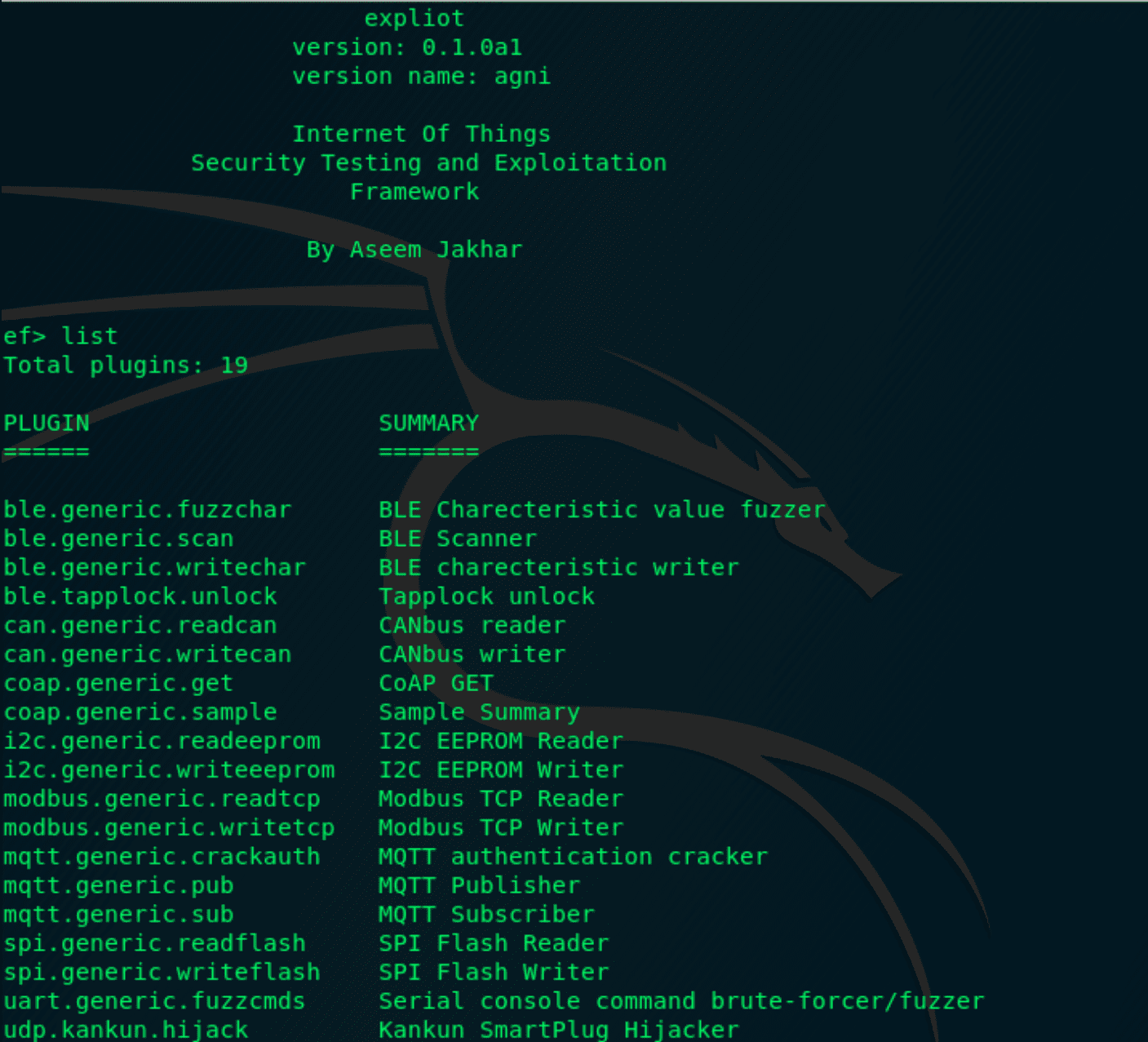
Currently, the framework has support for analyzing and exploiting various IoT, radio and hardware protocols. The current suite includes:
– BLE
– CAN
– DICOM (Will be fully implemented before the conference)
– MQTT
– Modbus
– I2C
– SPI
– UART
It can be used as a standalone tool for IoT security testing and more interestingly, it provides building blocks for writing new plugins/exploits and other IoT security assessment test cases with ease. EXPLIoT supports most IoT communication protocols, hardware interfacing functionality and test cases that can be used from within the framework to quickly map and exploit an IoT product or IoT Infrastructure.
It will help the security community in writing quick IoT test cases and exploits. The objectives of the framework are:
It will help the security community in writing quick IoT test cases and exploits. The objectives of the framework are:
- Easy to use
- Easy to extend
- Support for most IoT protocols
- Support for Radio IoT protocols
- Support for hardware protocols
- One-stop-shop for IoT and IoT infrastructure security testing.
Currently, the framework has support for analyzing and exploiting various IoT, radio and hardware protocols. The current suite includes:
– BLE
– CAN
– DICOM (Will be fully implemented before the conference)
– MQTT
– Modbus
– I2C
– SPI
– UART
– BLE
– CAN
– DICOM (Will be fully implemented before the conference)
– MQTT
– Modbus
– I2C
– SPI
– UART
Install
- Make sure you have python3 installed
- $ Install bluepy dependency => libglib2 $ sudo apt-get install libglib2.0-dev
- $ Install pyspiflash/pyftdi dependency => libusb1 $ sudo apt-get install libusb-1.0
- Download the repo $ git clone https://github.com/expliot-framework/expliot.git
- cd expliot
- $ sudo python3 setup.py install
- Make sure you have python3 installed
- $ Install bluepy dependency => libglib2 $ sudo apt-get install libglib2.0-dev
- $ Install pyspiflash/pyftdi dependency => libusb1 $ sudo apt-get install libusb-1.0
- Download the repo $ git clone https://github.com/expliot-framework/expliot.git
- cd expliot
- $ sudo python3 setup.py install
Run
- $ efconsole
- $ efconsole
ความคิดเห็น
แสดงความคิดเห็น